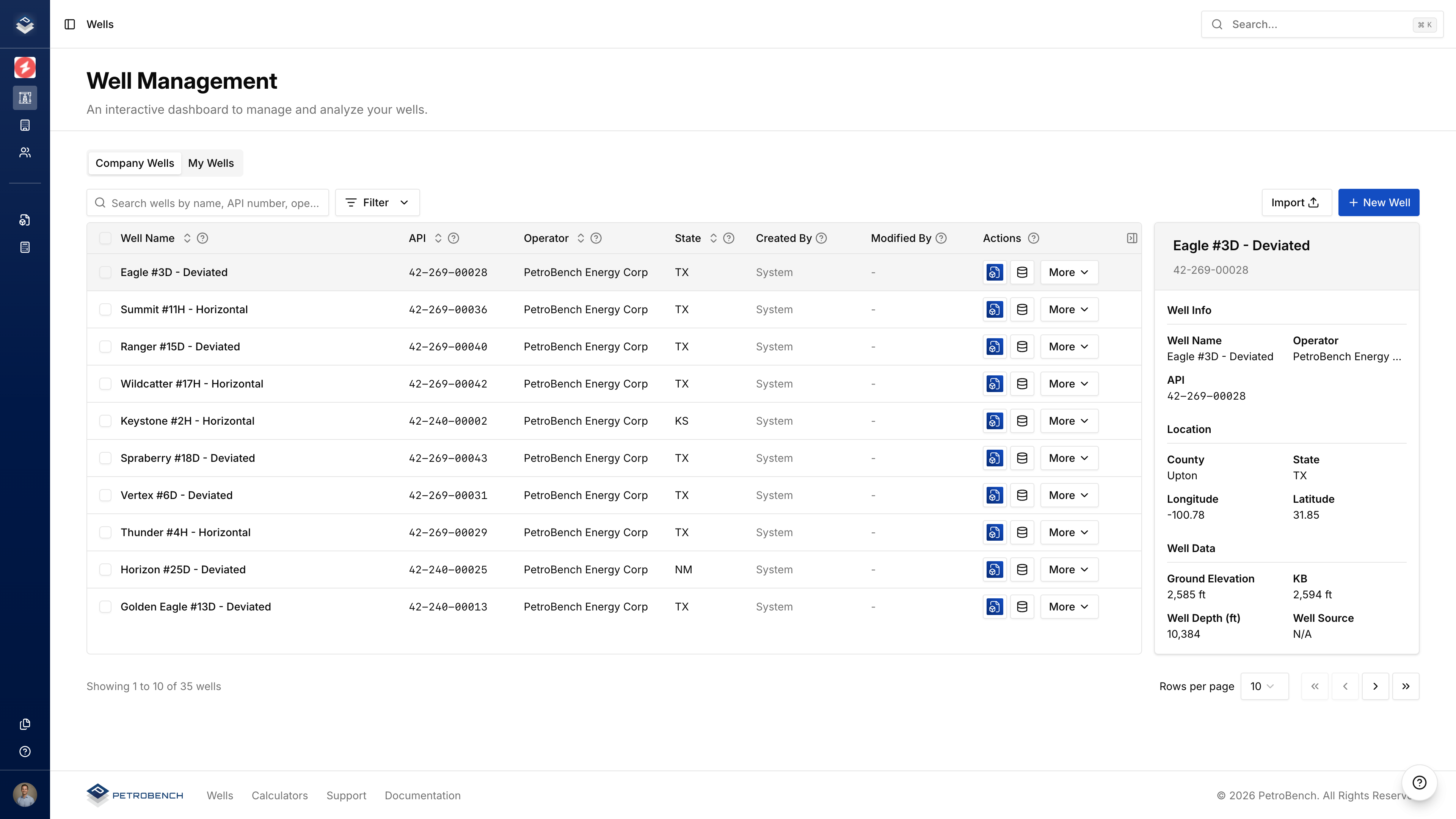
Create a Well
- Go to Wells
- Click New Well
- Fill in the Basic and Location tabs
- Click Add Well
Only the well name is required. Add other data as it becomes available.
Basic Tab
| Field | Required | Notes |
|---|
| Well Name | Yes | Primary identifier |
| API Number | No | Must be unique, validated for format |
| Lease Name | No | Lease or field name |
| Operator | Auto | Set to your organization |
| Well Type | No | Oil or Gas |
| Status | No | Active, Inactive, Shut-in, etc. |
| Wellbore Profile | No | Vertical, Horizontal, Deviated |
Location Tab
| Field | Required | Notes |
|---|
| Latitude | No | Decimal degrees (-90 to 90) |
| Longitude | No | Decimal degrees (-180 to 180) |
| Country | No | Full country name |
| State | U.S. wells | 2-letter code (TX, OK, CA) |
| County | U.S. wells | Required when state is set |
| KB Elevation | No | Kelly Bushing elevation (ft) |
| Ground Elevation | No | Surface elevation (ft) |
| Total Depth | No | Maximum measured depth (ft) |
Delete a Well
Deleting a well permanently removes all associated data including simulations, production data, and surveys. This cannot be undone.
- Click … on the well row (or open Well Details)
- Select Delete Well
- Type the well name to confirm
- Click Delete Permanently