Simulation Comparisons
Compare up to five rod pump simulation designs side-by-side in PetroBench. Evaluate rod strings, loads, production rates, and equipment configurations.
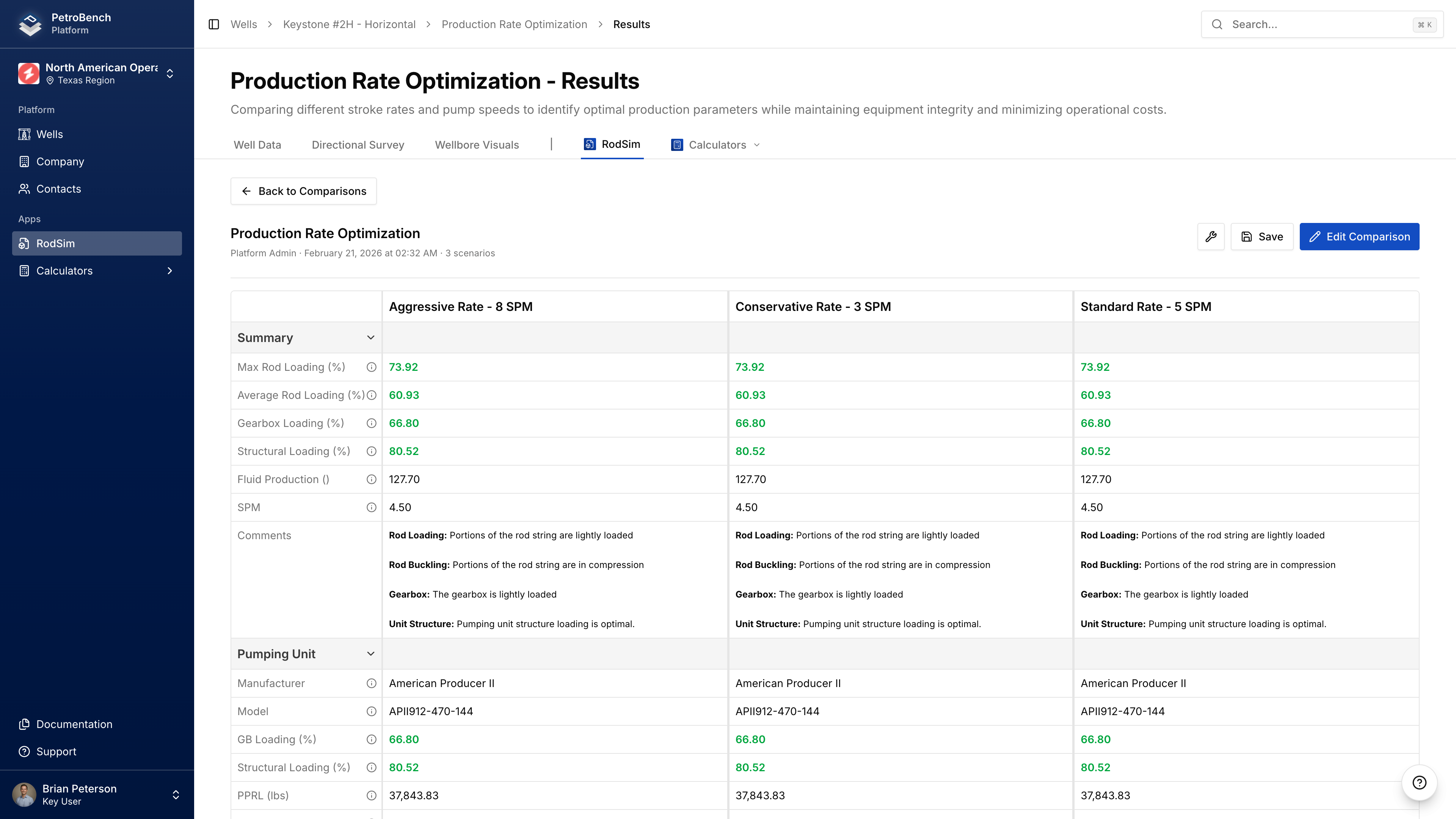
Compare up to 5 rod simulations with different configurations to identify the optimal design.
Create a Comparison
- Navigate to your well's RodSim tab
- Select one or more simulations using checkboxes
- Click Compare
- Review the auto-generated name and description
- Click Create Comparison
If you select just one simulation, it's duplicated to create two scenarios you can configure differently.
The first simulation becomes the base simulation - your reference point for comparison. It always appears first and can't be removed.
Add & Manage Simulations
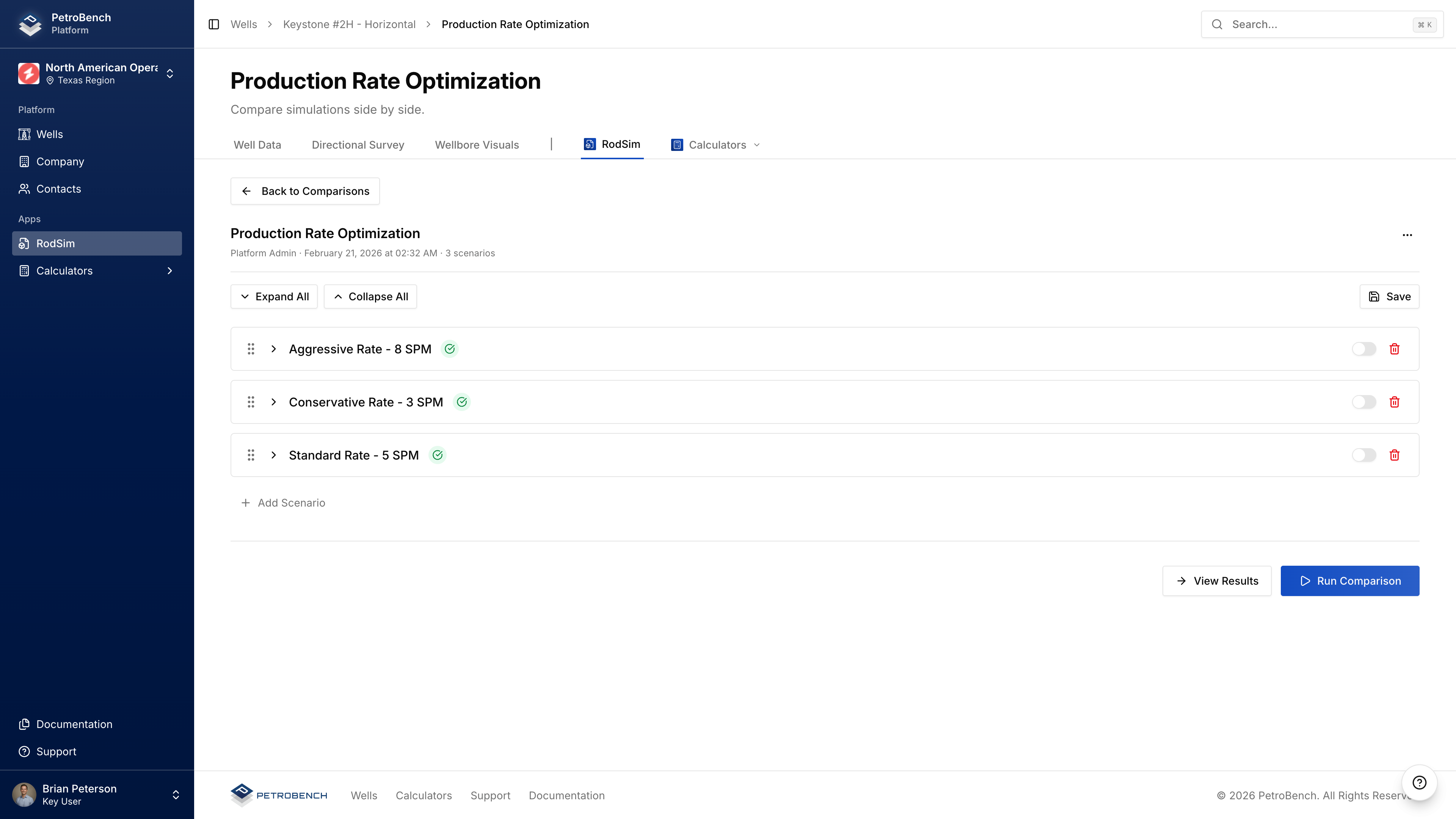
Add Simulations
- Open your comparison
- Click Add Simulation
- Select from available simulations
- Click Add to Comparison
Duplicate a Scenario
- Click the menu icon (three dots) on a scenario card
- Select Duplicate
Remove a Scenario
- Click the menu icon on the scenario card
- Select Remove from Comparison
Removing a simulation deletes that duplicated scenario. The original simulation is unaffected.
Configure Each Scenario
Expand a scenario card to modify:
- Pumping Unit - Select different units per scenario
- Rod String - Modify grades, sizes, taper sections
- Tubing - Adjust anchor settings, pump depth
- Parameters - Set stroke rate, production targets
Run the Comparison
- Click Run Comparison
- Monitor progress for each scenario
- Wait for all scenarios to complete
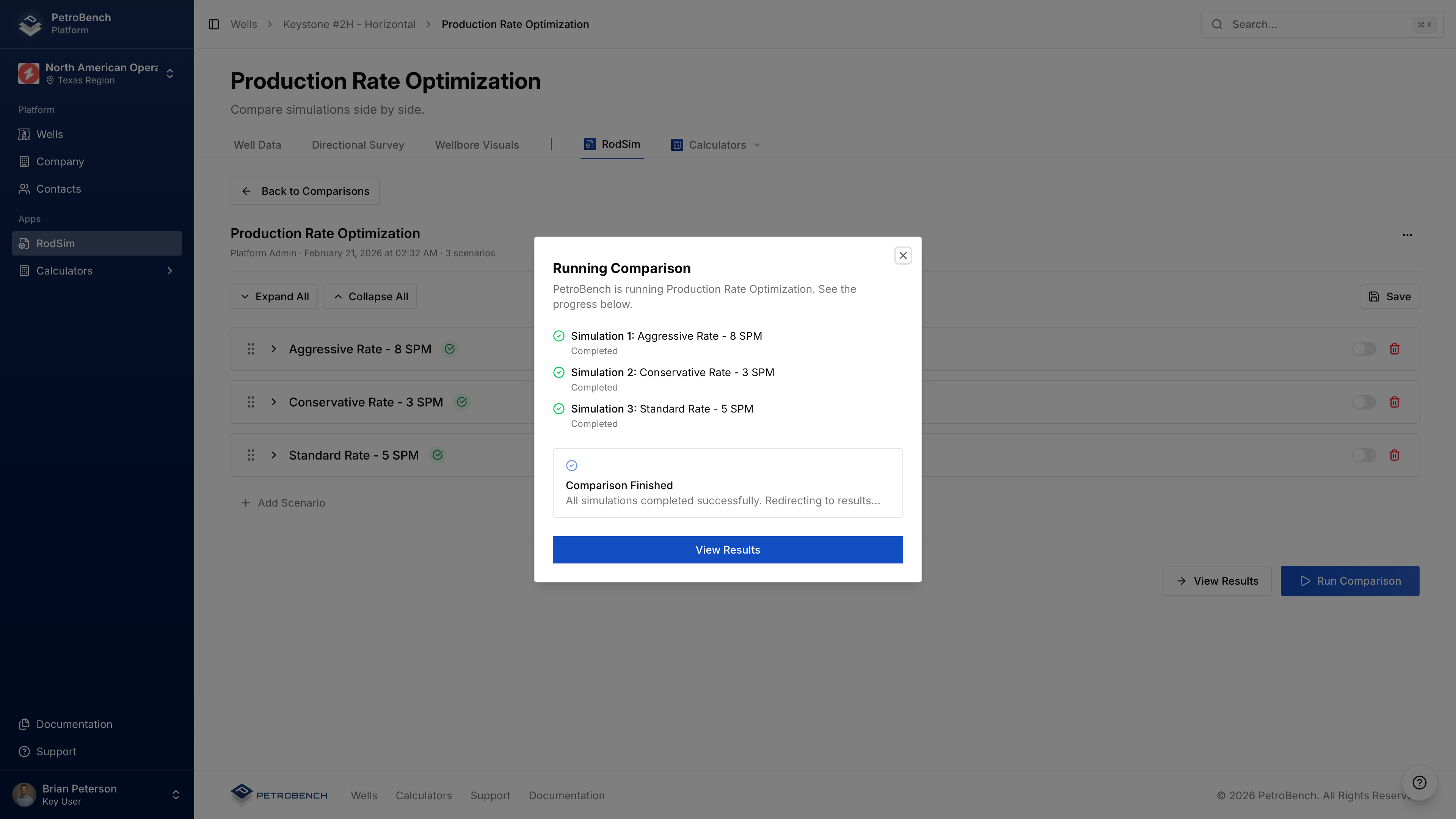
Scenarios run sequentially (base simulation first). Each typically takes 10-30 seconds.
If a scenario fails, others continue processing. Failed scenarios show error messages in results.
View Results
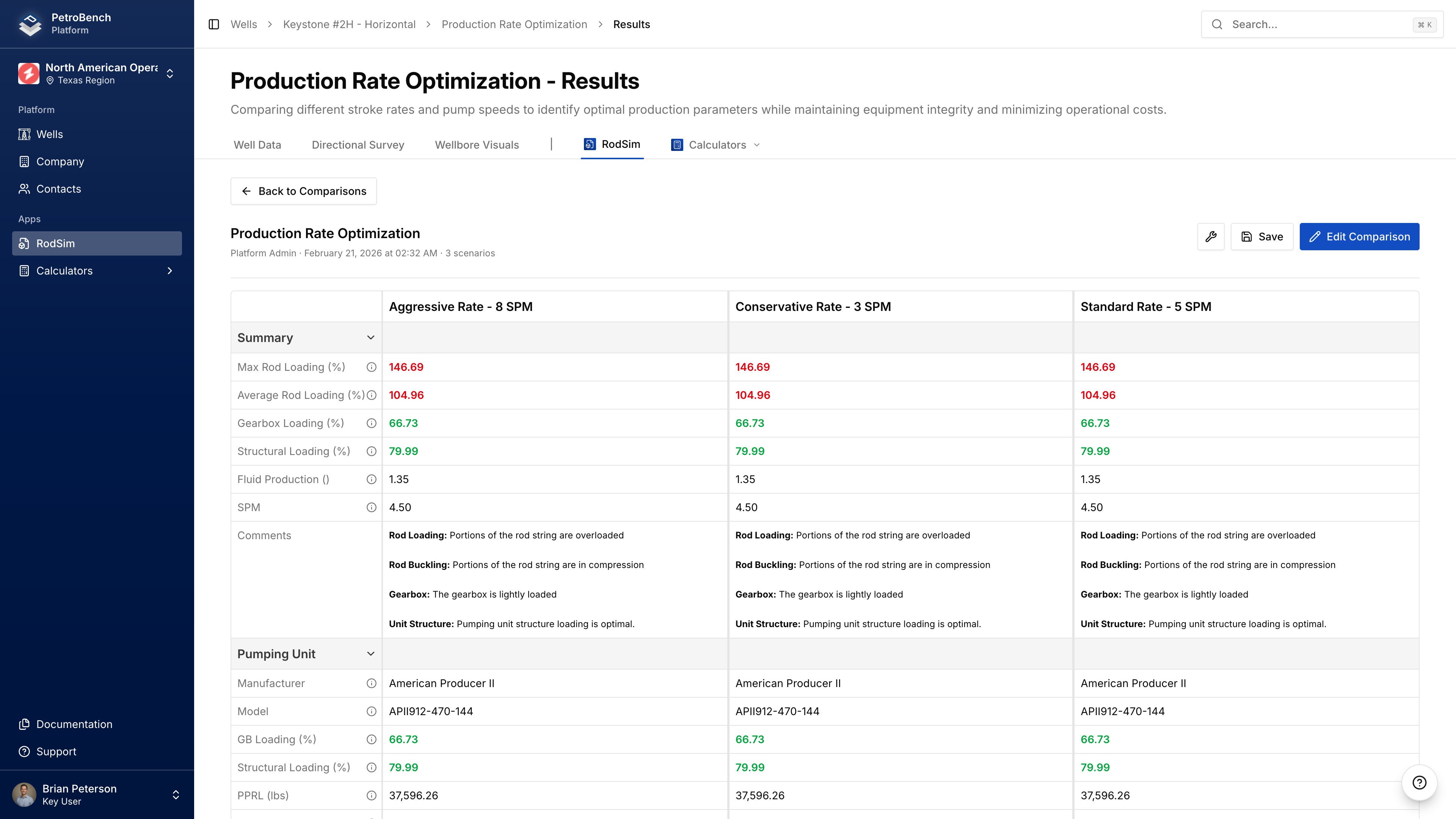
The results page shows side-by-side metrics:
| Metric | Description |
|---|---|
| Pump Displacement | Theoretical pump output (BPD) |
| Pump Fillage | Percentage of pump barrel filled |
| Polished Rod HP | Power at surface |
| Peak Torque | Maximum gearbox torque (in-lb) |
| Peak Rod Stress | Maximum stress in rod string (psi) |
| Max/Min Rod Load | Load range during cycle (lbs) |
Values outside recommended ranges are highlighted.
Re-Running
After modifying scenario configurations:
- Return to Comparison Inputs
- Make changes to any scenario
- Click Run Comparison
Re-running overwrites previous results for all scenarios.